How to Fit an oliadeo DV2027 Replacement Pack
Power the tablet off, unplug the ribbon and seat the new DV2027 the same way. Charge on Autel’s 12 V supply.
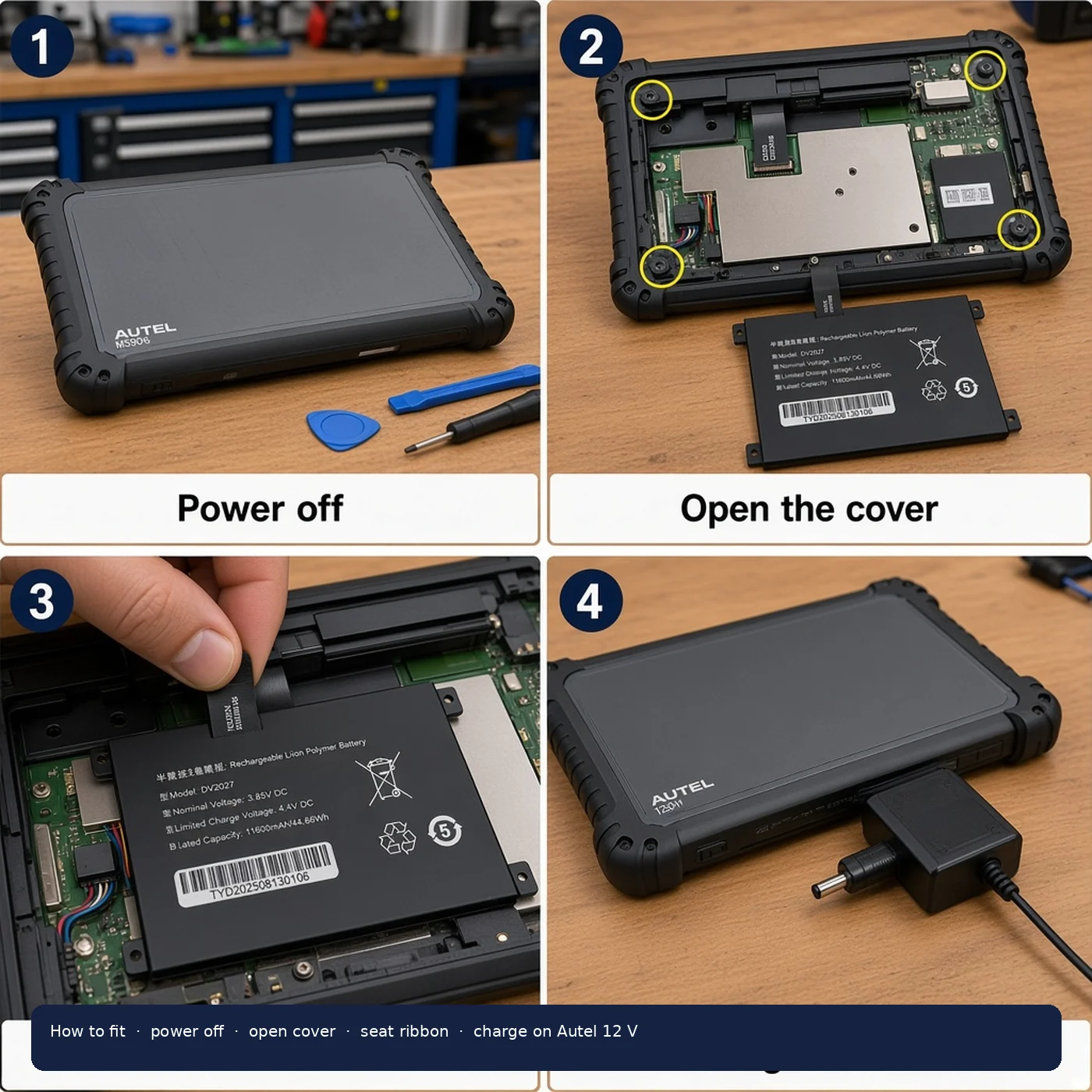
Power the tablet off, unplug the charger and VCI, then swap the pack. The oliadeo DV2027 is an internal replacement: you open the housing, unplug the ribbon, seat the new pack and charge on Autel’s 12 V supply.
Before you open the tablet
Confirm the worn pack is marked DV2027. Fit list: Autel MaxiSYS MS906 Pro / MS906 Pro-TS and Autel MaxiCOM MK906 Pro / MK906 Pro-TS / MK906S PRO / MK906S PRO-TS. Use the DV2027 battery compatibility checklist if you have not read the label yet.
Work on a clear bench. Keep metal tools off the ribbon and the cell. Do not take the pack apart, puncture it, heat it or burn it. Stop if it has been in water.
How to fit the oliadeo DV2027
- Power the tablet off and unplug the charger and VCI.
- Open the back cover. Note how the ribbon sits.
- Unplug the old pack and lift it out.
- Seat the new DV2027 the same way and press the ribbon fully home.
- Refit the cover. Charge with the tablet’s Autel 12 V supply before the first job.
- If the tablet does not see the pack, reseat the connector.
The pack is a rechargeable Li-ion polymer cell, 3.85 V DC nominal, 4.4 V limited charge voltage, 11600 mAh / 44.66 Wh. Charge through the fitted tablet, 0 ℃ to 45 ℃ on Autel’s 12 V AC/DC supply. There is no charger in the box.
Handling the pack
Handle the ribbon and mounting tabs with care. Do not fold the flex or pull it by the wires. Keep the old pack isolated for an approved lithium recycling route — not general waste.
After the first charge
If the tablet boots and holds a session, you are done. If it still drops out, reseat the ribbon before you assume the cell is at fault. A runtime check is in how to test diagnostic tablet battery runtime.
Ratings and the listing itself are on the oliadeo DV2027 product page.